TasmoFleet

Self-hosted, open source, one Go binary

Run your Tasmota fleet from one place.

TasmoFleet backs up every device, checks it against your settings policy and updates firmware in bulk, with a safety guard in front of every update. Your devices, your server, no cloud.

Try the demo Install

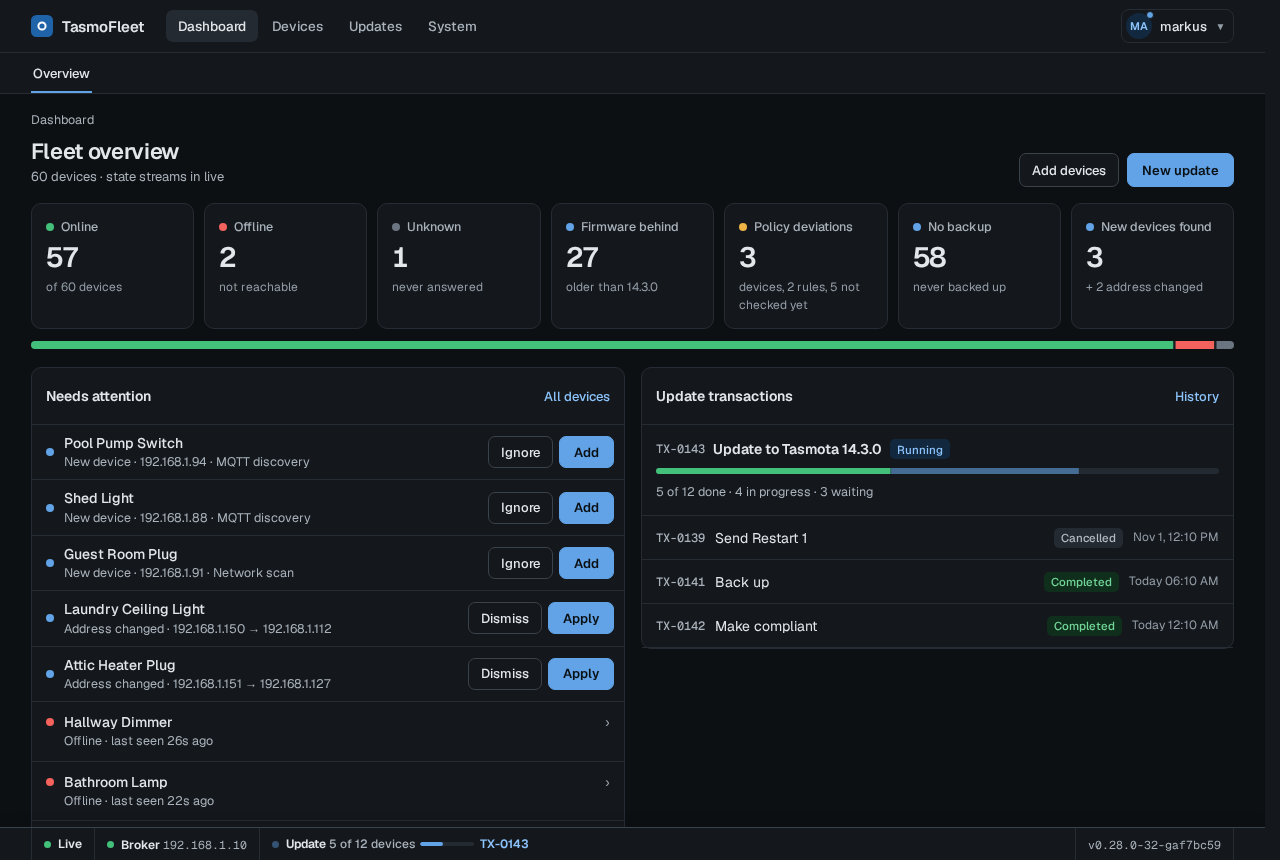
The demo is the real UI with a simulated fleet of 60 devices, saved as static pages (actions are disabled).

The TasmoFleet dashboard in the dark theme: fleet state, a list of devices that need attention and recent transactions

The real interface

Screenshots of TasmoFleet running against simulated devices.

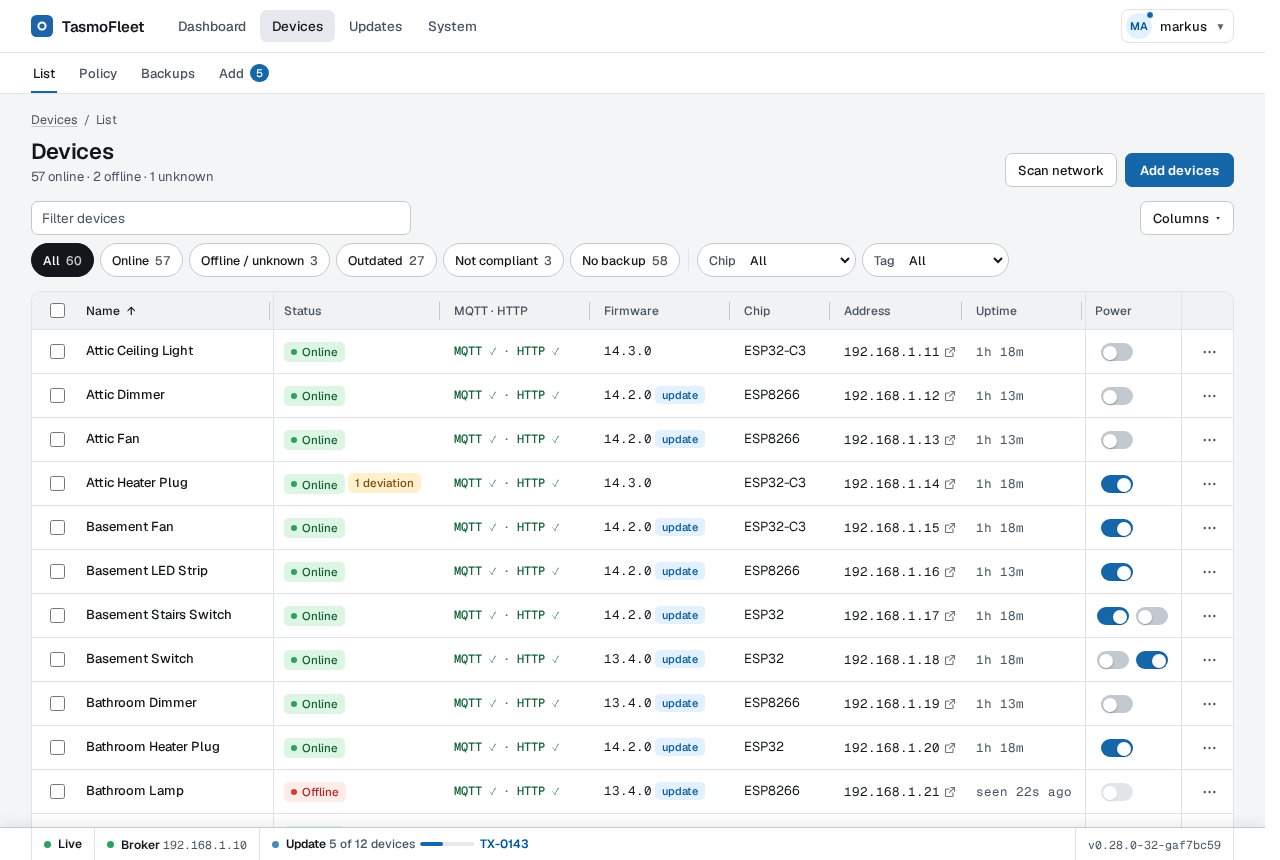
The device list with status, MQTT and HTTP state, firmware version, chip, address, uptime and a power switch per device
Device list: filter by state, chip or tag.
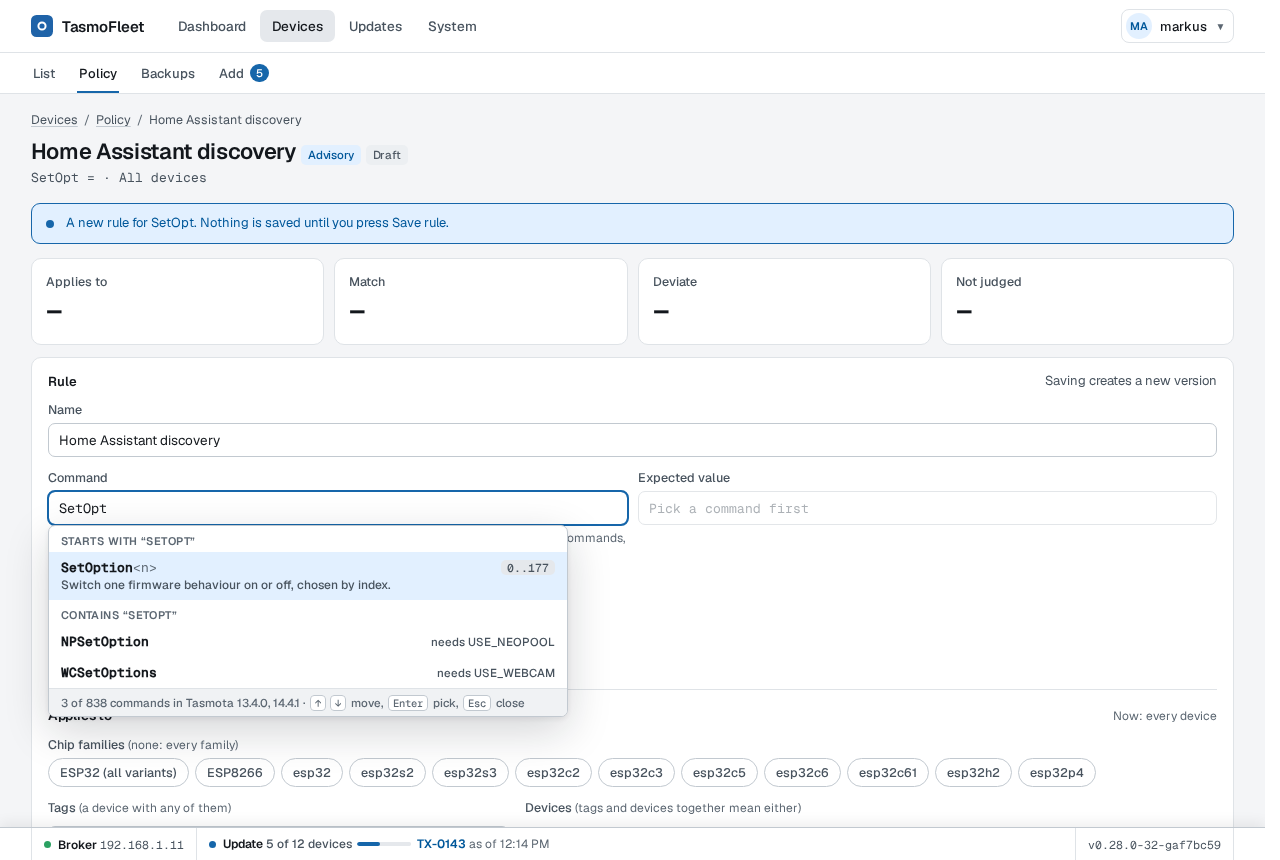
The policy rule editor suggesting Tasmota commands from the command catalogue
Policy rules with command suggestions.
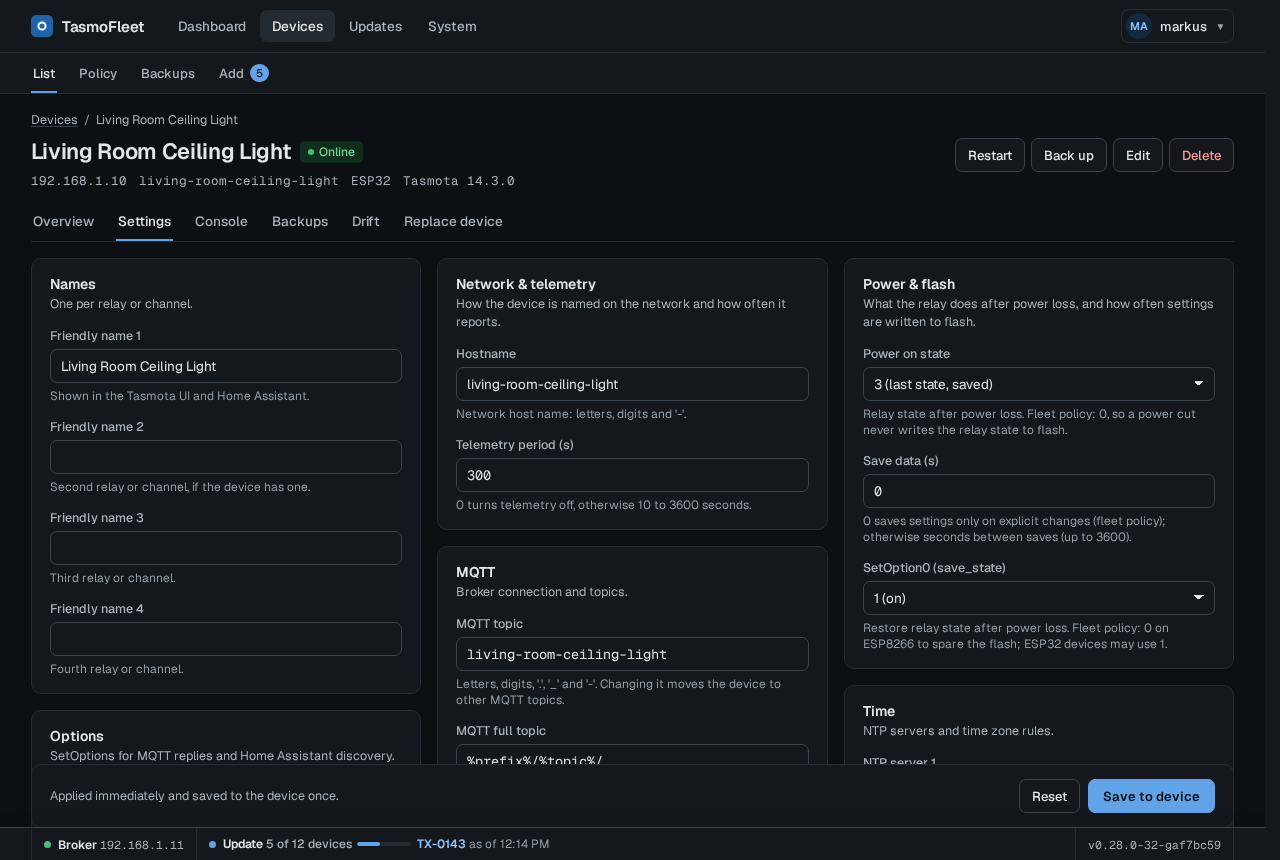
The Settings tab of one device in the dark theme, with curated settings read from the device
Curated settings, read from the device.
Animation: four devices are picked for a firmware update, reviewed, started, and each device's progress is shown
A firmware update of four devices.

What it does

  • Backups with diff and restore

    The raw .dmp plus decoded JSON, scheduled and taken before every update. Compare two backups side by side and restore onto the same or a replacement device.

  • Policy and compliance

    Rules such as PowerOnState 0 or TelePeriod 300 per chip family, tag or device. See the drift per device and use "Make compliant" as one transaction.

  • Safe bulk firmware updates

    Updates run on the server as a persisted job per device, with bounded parallelism. Closing the browser does not stop one. A guard refuses unknown hardware and images of the wrong chip family before every OtaUrl and Upgrade.

  • Live state over MQTT

    Optional. Online state, power and telemetry arrive as they happen. Without MQTT every feature works over HTTP polling.

  • Notifications

    Webhook, e-mail and browser notifications for finished updates and failed scheduled backups or snapshots.

  • Sign-in and roles

    OIDC single sign-on, trusted forward-auth headers or local accounts, with admin and operator roles and an audit log of every change.

  • Bulk actions with logs

    Updates, commands, backups and policy fixes on many devices run as one transaction with a log per device, cancel and retry.

  • Import from TasmoAdmin

    Bring over devices.csv and MyConfig.json in the UI or with tasmofleet import tasmoadmin.

  • Metrics and a tidy UI

    Prometheus metrics with an example Grafana dashboard, light and dark theme, a phone layout, and support for a reverse proxy under a base path.

Background work only reads from your devices. A device is changed only when someone starts an action, and each action is audited.

Install

The image is nofuturekid/tasmofleet on Docker Hub and ghcr.io/hellwand/tasmofleet, for linux/amd64 and linux/arm64.

Docker

docker run -d --name tasmofleet \
  -p 8443:8080 -p 80:80 \
  -e TZ=Europe/Berlin \
  -v tasmofleet-data:/data \
  nofuturekid/tasmofleet:latest
docker logs tasmofleet 2>&1 \
  | grep -o '/setup/account?token=[^"]*'

Open https://<host>:8443 followed by the printed setup path, accept the self-signed certificate and set the admin password. Port 80 serves firmware to your devices.

Docker Compose

services:
  tasmofleet:
    image: nofuturekid/tasmofleet:latest
    container_name: tasmofleet
    restart: unless-stopped
    ports:
      - "8443:8080" # UI (HTTPS)
      - "80:80"     # firmware for devices
    environment:
      TZ: "Europe/Berlin"
    volumes:
      - tasmofleet-data:/data
volumes:
  tasmofleet-data:

The setup link is in docker compose logs tasmofleet.

Unraid

Install TasmoFleet from Community Applications. The template runs the image on the bridge network with the port mappings as the only place for ports. A template for a reverse-proxy setup with its own IP is in the repository.

Unraid template on GitHub

Home Assistant app experimental

Not published yet. A first version exists in the repository (ports only, no sidebar entry, no Home Assistant sign-in) and is for testing, not for daily use.

Read what works today

Set the URL your devices use for firmware (for example http://<host-ip>) on the System settings page; until then firmware updates are off. Details, bind mounts and every setting are in the README and configuration docs.